
How to read Open Interest Flow
Before we jump into the flow part, let's go over what open interest is, what it tells us and how to read it. Shall we?
What's open interest?
Open interest (in short OI) is the total number of active trading positions that haven't been closed yet. When open interest goes up, more traders are entering new positions (inflow). When it goes down, traders are exiting their positions (outflow).
This is the data source Open Interest Flow uses. Now onto the flows.
Reading open interest using flows
Open Interest Flow uses historical extremes in open interest to estimate was is typical amount of open interest flowing in or flowing out.
Magnitude of flow | Positive | Negative |
|---|---|---|
Magnitude of 1 | Inflows are equal to average | Outflows are equal to average |
Magnitude of 2 | Inflows are 2x more than average | Outflows are 2x more than average |
Based on this data, the indicator calculates upper bands (inflows) and outer bands (outflows) ranging from +2 to -2, representing up to 3 times higher than average flows.
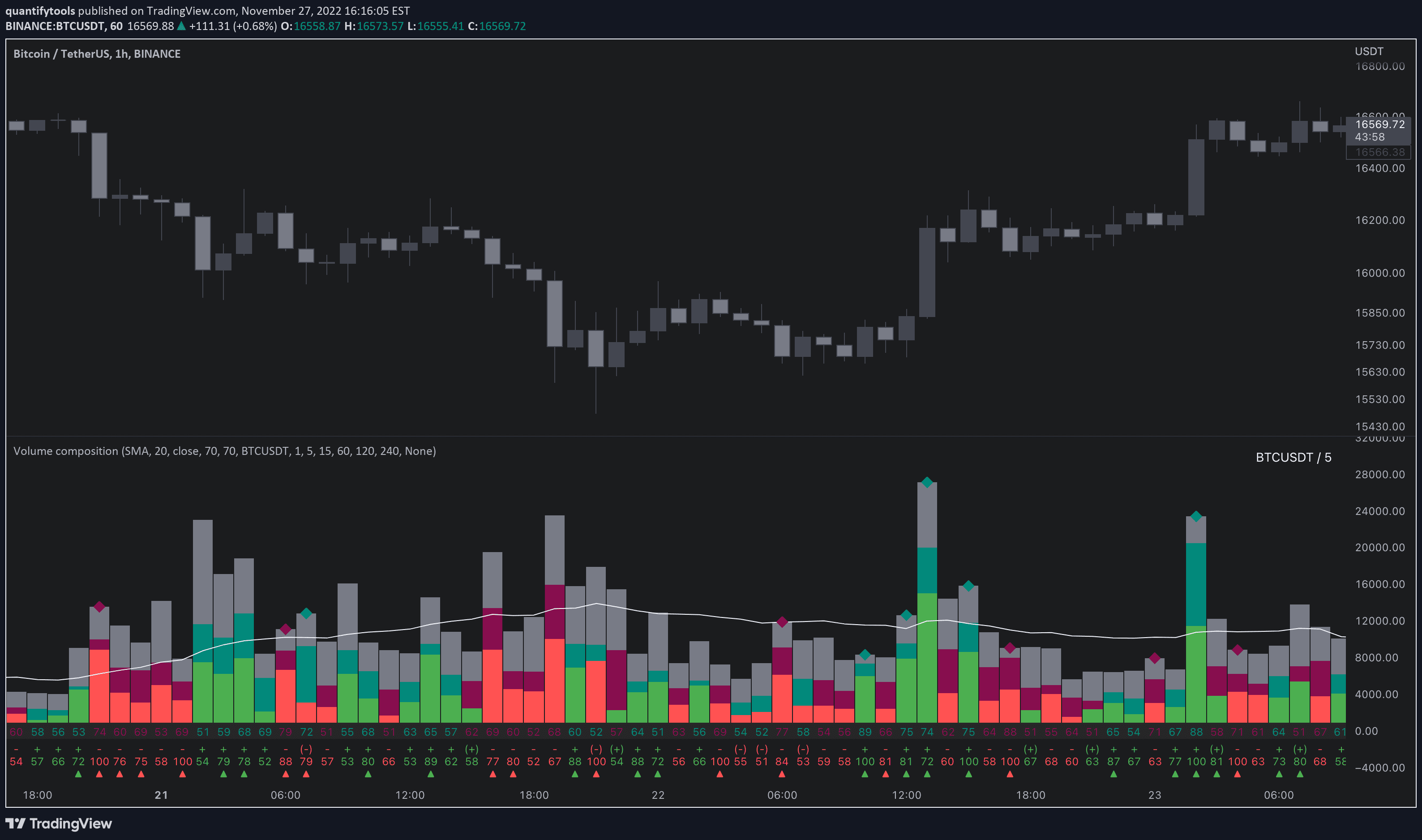
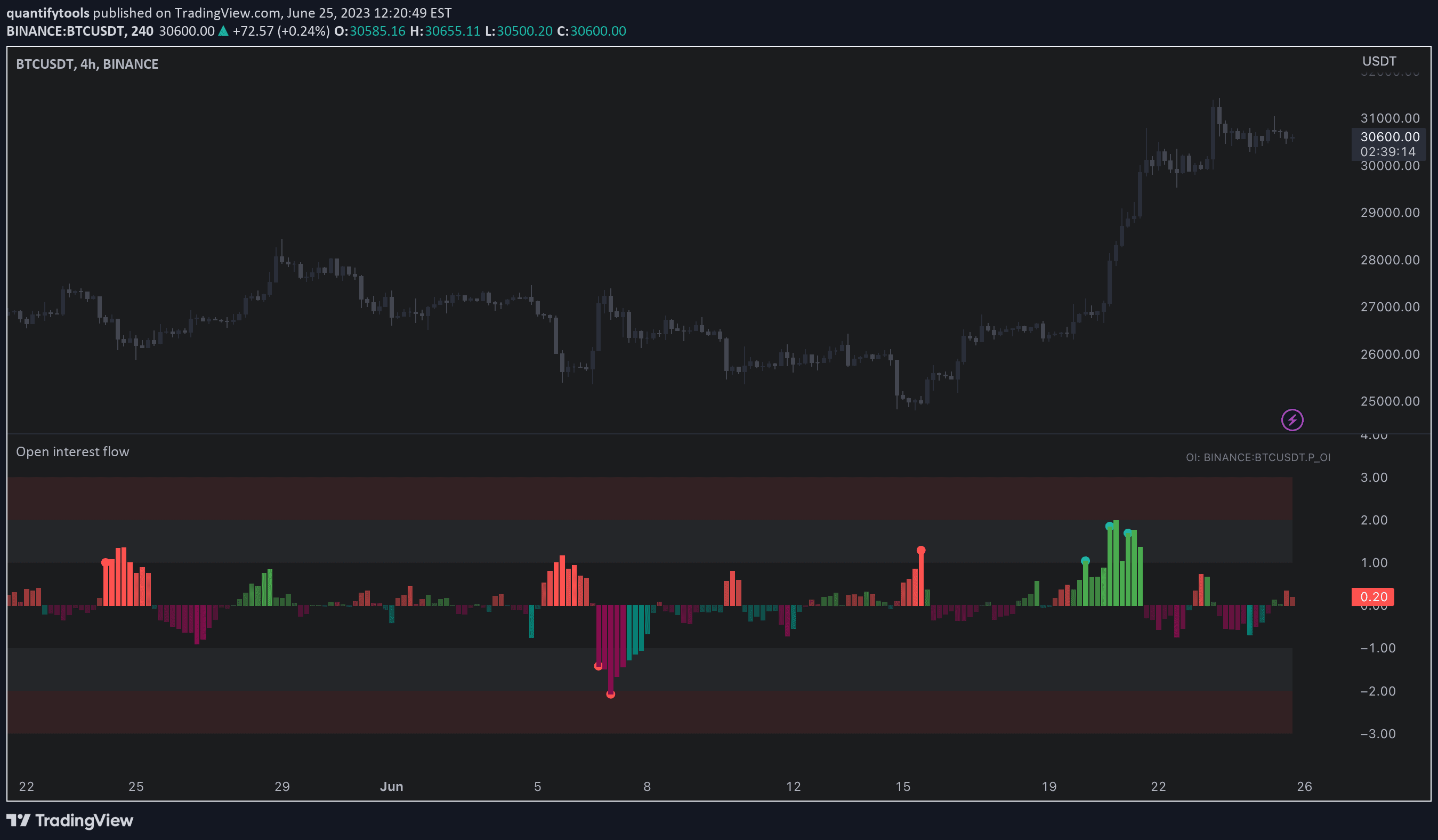
Here's a visual illustration of the flows and how to read them.

When the bars visualizing open interest flow go up (positive), there's a net inflow of new trading positions into the market.
When going down (negative), there's a net outflow of existing trading positions exiting the market. Not so hard, right?
Flow bursts
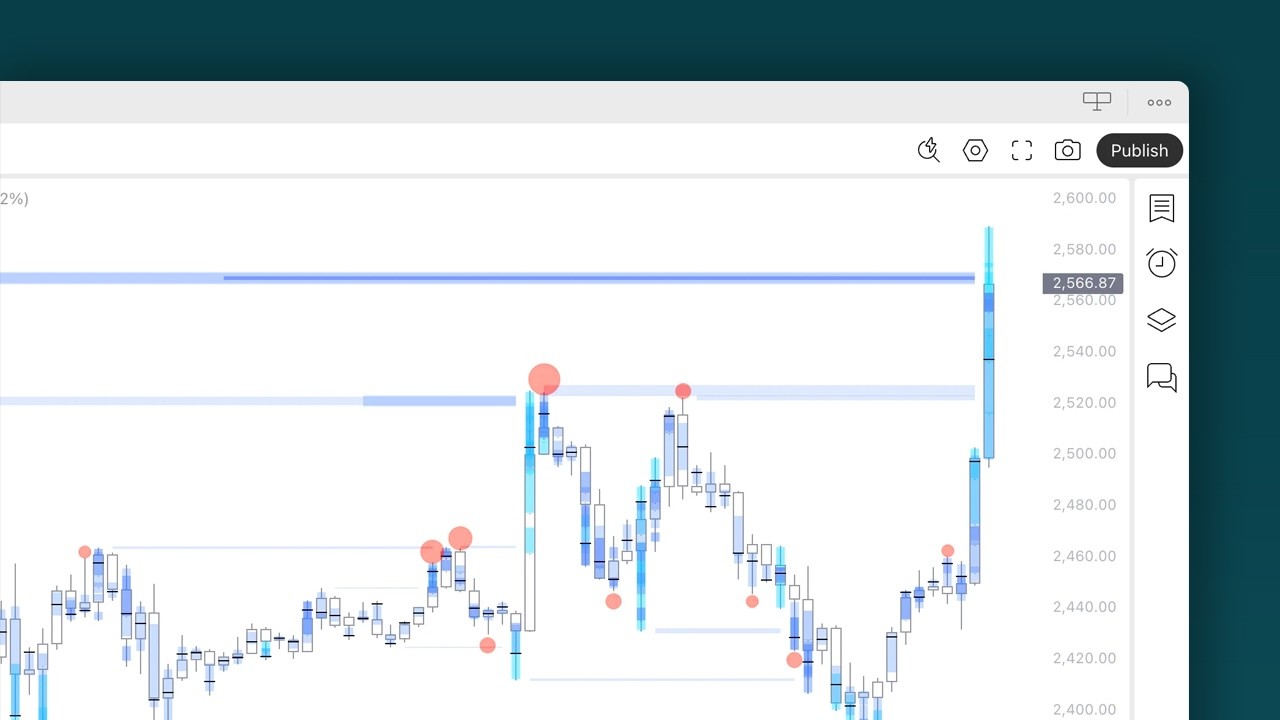
The little dots you see on top of the bars are flow bursts, indicating rapid inflows or outflows. Flow bursts indicate extreme positioning, such as stop-losses triggering, causing liquidations..
How open interest delta is calculated
Open interest delta simply means making a distinction whether the inflows or outflows where from buyers or sellers.
As this data is not available on TradingView, the indicator instead estimates the side using price and open interest.
The following assumptions are used.
Price/open interest | Interpretation |
|---|---|
Price up + Open interest up | Longs entering market |
Price down + Open interest up | Shorts entering market |
Price down + Open interest down | Longs exiting market |
Price up + Open interest down | Shorts exiting market |
This method is often favored by traders, as the price and open interest dynamics generally speaking go hand in hand.
If price is going down and open interest is increasing, it doesn't really make sense the open interest is coming from buyers, right? This is when sellers chase a downtrend, adding to the OI.
Relative open interest and price
Open Interest Flow tracks the open interest and price action dynamics by comparing their relative position to their moving average.
For example, if price is above its moving average it is considered to trend up. If open interest on the other hand is below its moving average, its considered to trend down.
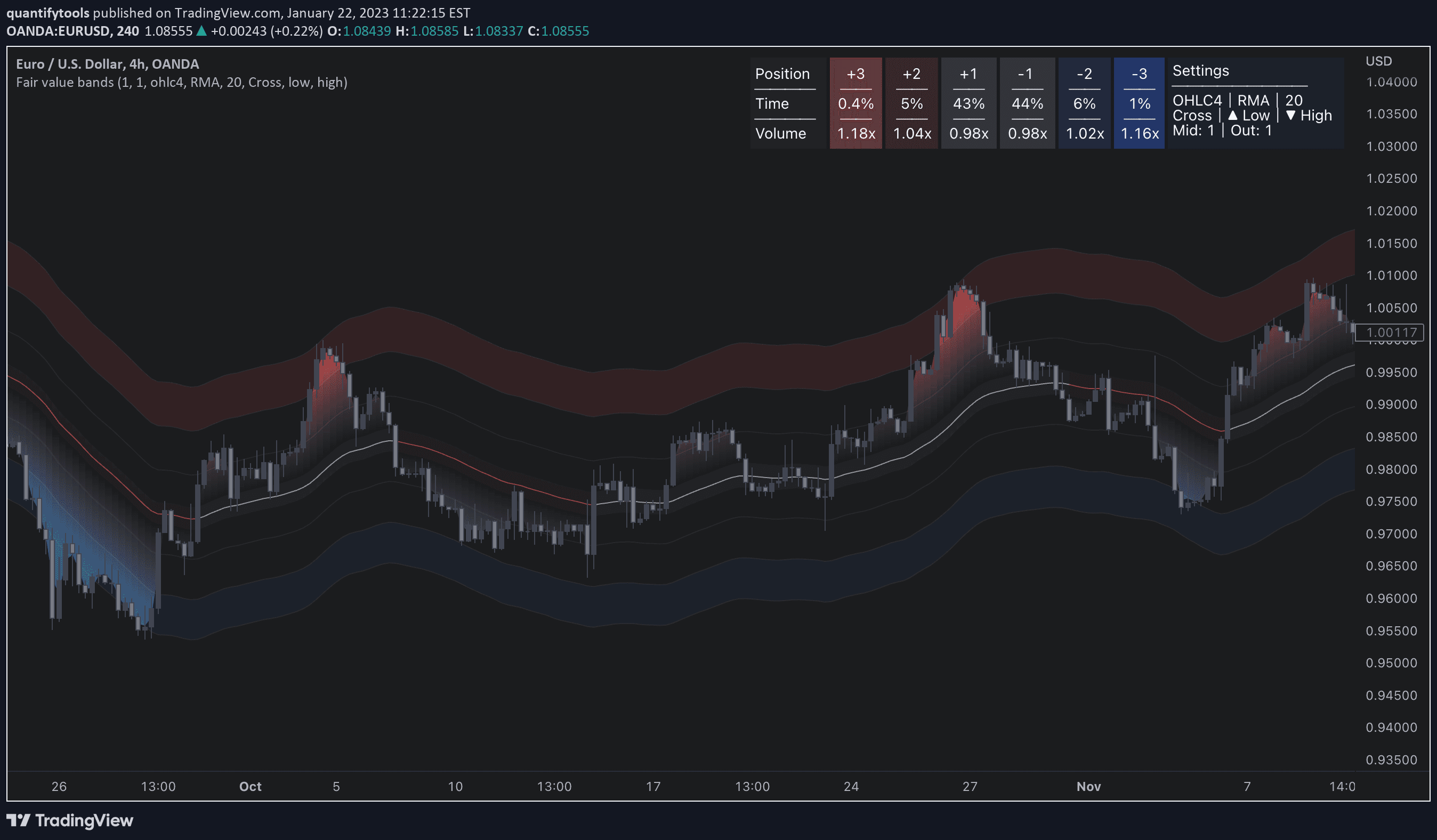
Here's an image illustration going over the relative nature of price and open interest.

Open interest delta, or simply the side of exiting and entering positions is visualized on the bars themselves with color as one would expect.
If the bars are green, the flows are coming from buyers. If red, the flows are coming from sellers.
How to read Open Interest Flow
Before we jump into the flow part, let's go over what open interest is, what it tells us and how to read it. Shall we?
What's open interest?
Open interest (in short OI) is the total number of active trading positions that haven't been closed yet. When open interest goes up, more traders are entering new positions (inflow). When it goes down, traders are exiting their positions (outflow).
This is the data source Open Interest Flow uses. Now onto the flows.
Reading open interest using flows
Open Interest Flow uses historical extremes in open interest to estimate was is typical amount of open interest flowing in or flowing out.
Magnitude of flow | Positive | Negative |
|---|---|---|
Magnitude of 1 | Inflows are equal to average | Outflows are equal to average |
Magnitude of 2 | Inflows are 2x more than average | Outflows are 2x more than average |
Based on this data, the indicator calculates upper bands (inflows) and outer bands (outflows) ranging from +2 to -2, representing up to 3 times higher than average flows.
Here's a visual illustration of the flows and how to read them.
When the bars visualizing open interest flow go up (positive), there's a net inflow of new trading positions into the market.
When going down (negative), there's a net outflow of existing trading positions exiting the market. Not so hard, right?
Flow bursts
The little dots you see on top of the bars are flow bursts, indicating rapid inflows or outflows. Flow bursts indicate extreme positioning, such as stop-losses triggering, causing liquidations..
How open interest delta is calculated
Open interest delta simply means making a distinction whether the inflows or outflows where from buyers or sellers.
As this data is not available on TradingView, the indicator instead estimates the side using price and open interest.
The following assumptions are used.
Price/open interest | Interpretation |
|---|---|
Price up + Open interest up | Longs entering market |
Price down + Open interest up | Shorts entering market |
Price down + Open interest down | Longs exiting market |
Price up + Open interest down | Shorts exiting market |
This method is often favored by traders, as the price and open interest dynamics generally speaking go hand in hand.
If price is going down and open interest is increasing, it doesn't really make sense the open interest is coming from buyers, right? This is when sellers chase a downtrend, adding to the OI.
Relative open interest and price
Open Interest Flow tracks the open interest and price action dynamics by comparing their relative position to their moving average.
For example, if price is above its moving average it is considered to trend up. If open interest on the other hand is below its moving average, its considered to trend down.
Here's an image illustration going over the relative nature of price and open interest.
Open interest delta, or simply the side of exiting and entering positions is visualized on the bars themselves with color as one would expect.
If the bars are green, the flows are coming from buyers. If red, the flows are coming from sellers.
Key features of Open Interest Flow
Open Interest Flow offers a few key settings to make using it a breeze and customize it functionality.
Let's go over the major features.
Auto-select open interest source for crypto
While the indicator can be used with any open interest data that is available on TradingView, crypto traders benefit from an automatic source selection due to wide availability of this data.
This feature works for all cryptocurrencies that trade against USDT. When auto-select is enabled and another chart is opened, corresponding open interest source is automatically selected.

Visualize flow states
Open interest flows can be visualized on charts as color, matching to that of the open interest flow bars.
Greens and reds in bright represent inflows and darker colors represent outflows.
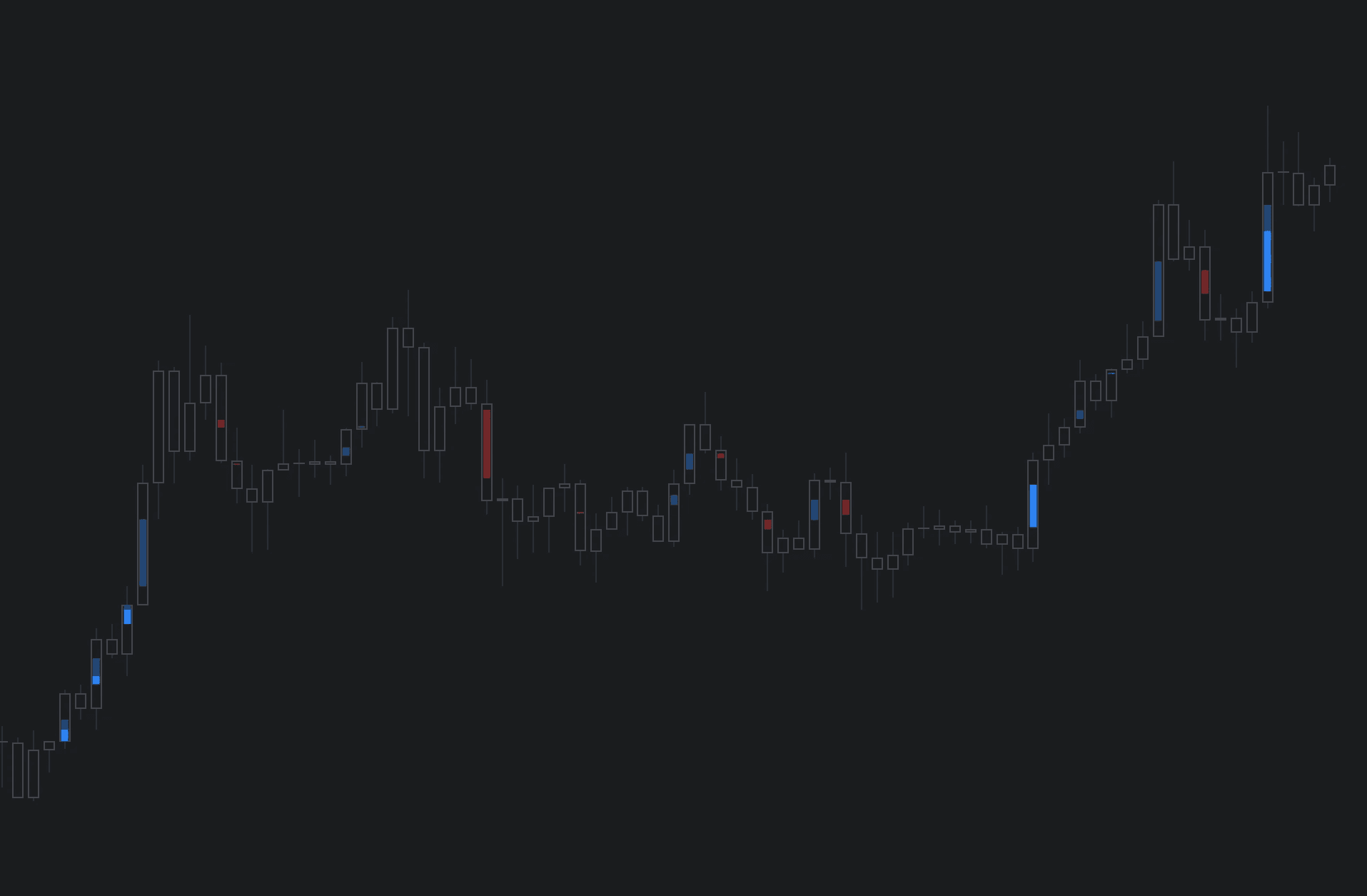
Flow bursts alone can also be visualized on the chart, highlighting pivotal moments associated with liquidations.

Alerts
Users can set alerts for abnormal inflows, outflows or both as grouped alert. Users can also set flow bursts for either side separately or both as grouped.
Key features of Open Interest Flow
Open Interest Flow offers a few key settings to make using it a breeze and customize it functionality.
Let's go over the major features.
Auto-select open interest source for crypto
While the indicator can be used with any open interest data that is available on TradingView, crypto traders benefit from an automatic source selection due to wide availability of this data.
This feature works for all cryptocurrencies that trade against USDT. When auto-select is enabled and another chart is opened, corresponding open interest source is automatically selected.
Visualize flow states
Open interest flows can be visualized on charts as color, matching to that of the open interest flow bars.
Greens and reds in bright represent inflows and darker colors represent outflows.
Flow bursts alone can also be visualized on the chart, highlighting pivotal moments associated with liquidations.
Alerts
Users can set alerts for abnormal inflows, outflows or both as grouped alert. Users can also set flow bursts for either side separately or both as grouped.
How to trade with Open Interest Flow
Open interest as a standalone data point does not reveal which side is likely opening/exiting positions and how extreme the participant behavior is.
But with this indicator we have access to that. Here's how to take advantage of the flows.
Detect bottom shorting and top longing
Using the additional data provided by open interest flows, moments of greed and fear can be detected. Smart money does not short into dips and buy into rips.
When buyers or sellers have participated in a large move and continue to show interest even when efforts are not rewarded at an already overextended price, participants are asking for trouble.

Detect liquidations in open interest
Similar events can be observed when extreme outflows take place, indicating forced exits such as stop-losses triggering.
When enough participants are forced out, price is likely to take the path of least resistance which is to the opposite direction.

How to trade with Open Interest Flow
Open interest as a standalone data point does not reveal which side is likely opening/exiting positions and how extreme the participant behavior is.
But with this indicator we have access to that. Here's how to take advantage of the flows.
Detect bottom shorting and top longing
Using the additional data provided by open interest flows, moments of greed and fear can be detected. Smart money does not short into dips and buy into rips.
When buyers or sellers have participated in a large move and continue to show interest even when efforts are not rewarded at an already overextended price, participants are asking for trouble.
Detect liquidations in open interest
Similar events can be observed when extreme outflows take place, indicating forced exits such as stop-losses triggering.
When enough participants are forced out, price is likely to take the path of least resistance which is to the opposite direction.
Get Open Interest Flow on TradingView
Open Interest Flow works by simply adding it to your chart on TradingView, no installations or configurations needed.
Open any chart on TradingView and click Indicators tab on top menu.
Search "Flowly" and click an indicator to add to your chart.
Can't find the indicator? Find full guide:
How to add indicators ↗
You can navigate straight to the indicator page here:
Open interest flow on TradingView ↗
But wait… there's more
We have more volume and orderflow indicators for free to use on TradingView.
If you enjoyed this one, you'll enjoy these too (we promise). Find them here 👇
Get Open Interest Flow on TradingView
Open Interest Flow works by simply adding it to your chart on TradingView, no installations or configurations needed.
Open any chart on TradingView and click Indicators tab on top menu.
Search "Flowly" and click an indicator to add to your chart.
Can't find the indicator? Find full guide:
How to add indicators ↗
You can navigate straight to the indicator page here:
Open interest flow on TradingView ↗
But wait… there's more
We have more volume and orderflow indicators for free to use on TradingView.
If you enjoyed this one, you'll enjoy these too (we promise). Find them here 👇